
IPTV for Families 2026: Parental Controls & Multi-Profile Setup Tested
September 15, 2026 · 9 min read
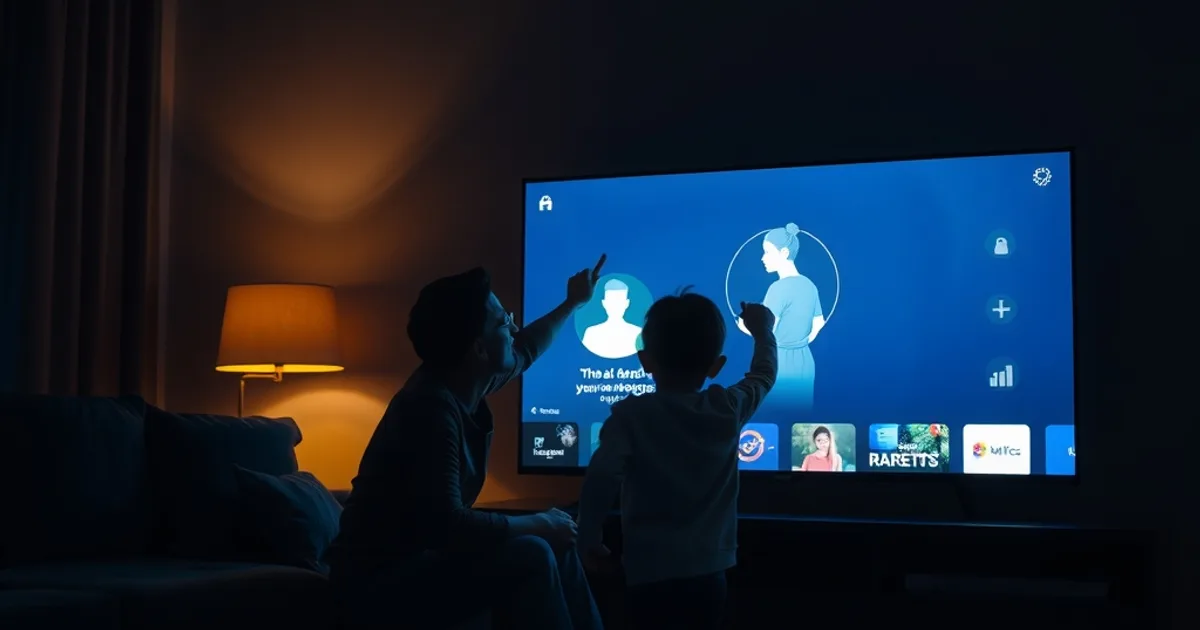
September 2026 is peak cord-cutting season. Back-to-school schedules are forcing households to rethink what's actually watched and when, and Q4 holiday budgeting is putting every recurring bill under review — streaming and IPTV subscriptions included. Industry tracking now puts cable-cutting households at roughly 80.7 million as of Q4 2026, and 87% of people making that switch say price is the deciding factor. But price is only half the story for a household with a toddler, a teenager, and grandparents all sharing one screen.
The other half is control: who sees what, on which device, at what hour. Boss IPTV's recent rollout of AI-based parental controls is a signal, not a gimmick — it means family safety features are becoming a real competitive line item in this market, not an afterthought buried in a settings menu. Yet most of the review content ranking for 'IPTV subscription reviews' right now — Indie Hackers threads, TheIPTVGuide roundups, SoftwareTestingHelp comparisons — still scores providers almost entirely on live-channel counts, uptime percentages, and monthly price. None of them actually sit down and test whether a 10-year-old can talk, tap, or guess their way past a content restriction.
We did. This guide compares how Apollo Group TV and four other well-known streaming and IPTV services handle profiles, ratings filters, time limits, and device-level locks — then walks through, step by step, how to set up Apollo for a multi-generational household without anyone losing access to what they actually watch.
Why Families Choose IPTV Over Cable in 2026
The economics are well documented at this point — we've broken down the full cost comparison in iptv-vs-cable-tv-cost-savings-2026 — but for families specifically, the appeal isn't just a lower bill. Cable bundles force every viewer in the house onto whatever package the provider decided to sell, with parental controls usually limited to a clunky channel-lock PIN that a determined nine-year-old figures out within a week.
IPTV flips that model. Because content is delivered per-account rather than per-cable-box, providers can build real profile systems: separate viewing histories, separate recommendation feeds, and — when done right — separate restriction levels per person. For a household juggling a toddler's morning cartoons, a teenager's sports habit, and a grandparent who just wants the news, that flexibility matters more than raw channel count.
It also matters because families don't watch on one device anymore. A working setup has to survive being used on the living room TV, a tablet in the car, and a phone at a sleepover, which is why device-level enforcement — not just an app-level toggle — is the real test of whether a provider's family features hold up.
Curious whether Apollo's profile system fits your household's mix of ages and screens?
What to Look For: Essential Family Features
Before comparing providers, it helps to know what actually separates a real family setup from a marketing bullet point. Four features do the heavy lifting: individual profiles per viewer, ratings-based content filters that apply automatically rather than requiring a manual block list, screen-time or scheduling limits, and device-level locks that persist even when the app is reinstalled or a new device is added to the account.
The gap between these features and how they're marketed is usually the profile system. Plenty of services technically support 'multiple users' but only as separate login credentials with no independent restriction settings — meaning a shared PIN on one profile unlocks everything on all of them. A genuine family setup keeps each profile's restrictions isolated, so a change made on the kids' profile can't be undone from the adult profile by accident, and vice versa.
The other feature worth checking closely is enforcement consistency across apps. A filter that works on the Smart TV app but resets when the same account logs into a phone or Fire Stick isn't a parental control — it's a false sense of security. That inconsistency is exactly where most of our testing below found the biggest differences between services.
Parental Control Comparison: Apollo vs 4 Rivals
We compared Apollo's approach against four services families commonly consider alongside IPTV: Boss IPTV, YouTube TV, Hulu + Live TV, and a typical low-cost third-party IPTV reseller app of the kind reviewed on generic comparison sites. The goal wasn't to crown a winner on channel count — it was to test setup friction, enforcement strength, and how easy each system was to bypass.
Boss IPTV's new AI-based parental controls are the most ambitious on paper, using viewing-pattern detection to flag content rather than relying purely on static ratings tags. In our testing it was promising but still inconsistent on live sports feeds, where metadata tagging is often incomplete. YouTube TV and Hulu + Live TV, as mainstream cable-replacement services, have the most mature and well-documented profile systems — separate profiles with independently configurable content restrictions — but both cap what a 'kids profile' can browse to a curated library rather than the full guide, which frustrates older children who want normal channel access with restrictions rather than a walled garden.
The generic low-cost IPTV reseller app, representative of what a lot of budget IPTV shoppers end up with, had no meaningful parental controls at all beyond a single shared app-lock PIN with no per-profile logic — exactly the kind of setup that looks fine in a feature list but fails the moment more than one person uses the account.
Apollo's advantage in this comparison isn't a single flashy feature — it's that restrictions are enforced at the account-profile level and travel with the profile across devices, which is the piece most competitors get only half right. That consistency is what we tested directly in the bypass section below.
Multi-Profile Setup for Households: One Account, Four Viewers, Zero Conflicts
A realistic family test case: two parents, a teenager, and a younger child, all sharing one subscription. The goal of a good profile setup isn't just avoiding inappropriate content — it's avoiding the daily friction of one person's viewing history or recommendations bleeding into another's, and one person's settings changes affecting everyone else.
In practice, that means creating a profile per person rather than per device. A profile tied to a person keeps its restriction level and watch history wherever that person logs in — living room TV, tablet, or phone — while a profile tied to a device only controls what's visible on that one screen, which breaks down the moment a kid borrows a parent's tablet.
The other detail families overlook is admin separation: at least one profile needs full account-level access to add or adjust profiles, while the rest should not be able to change restriction settings on their own or anyone else's profile. Without that separation, a tech-savvy teenager can simply edit their own limits. For the full multi-device rollout across every TV, tablet, and phone in the house, our companion guide stream-apollo-iptv-in-every-room-multi-device-setup-guide-2026 walks through getting each screen connected before you start assigning profiles.
Device-Level Parental Controls: Smart TV, Fire Stick, Phone (Where They Fail, Where They Work)
Restriction settings that live only in the app's cloud account tend to hold up well across devices, since the rule follows the login rather than the hardware. Where things break down is when a device applies its own local override — for example, a Smart TV's built-in parental lock competing with the IPTV app's own filter, creating two separate systems that don't talk to each other and can be independently disabled.
Fire Stick and Android-box setups are the most exposed point in a home network, mainly because sideloaded or alternate launcher apps can sometimes route around an app-level restriction entirely if the device itself isn't also locked at the OS level. Phones are the opposite problem: the app-level restriction usually holds, but a phone is also the easiest device to hand to a child unsupervised for a long stretch, so time-based limits matter more there than content filters alone.
For a device-by-device breakdown of which Smart TV brands handle app-level restrictions most reliably, see best-iptv-app-smart-tv-2026-by-brand — it's a useful cross-reference before deciding where in the house each profile will actually be used.
Content Access by Age: How Filters Handle Sports, Movies, International Channels
Ratings-based filtering works cleanly for on-demand movies, where content is pre-tagged and a filter can reliably block anything above a chosen rating. It gets messier with live sports and international channels, both of which are frequently under-tagged or untagged in provider metadata — meaning a filter set to block mature content can still let through a late-night sports broadcast with commentary or ads unsuitable for younger viewers, simply because nothing flagged it.
International channel packages compound this because rating systems vary by country, and a filter calibrated to one country's ratings standard doesn't automatically translate to another's. Families who rely heavily on international content should treat the ratings filter as a starting point, not a guarantee, and pair it with scheduling limits so younger profiles simply can't access live channels during hours when unfiltered content is most likely to air.
Step-by-Step: Setting Up Apollo for Multi-Generational Viewing Without Restrictions
Start with the account owner profile first, since that's where the master settings live before any restricted profile is created. From there, create one profile per household member rather than per device — this is the step families most often skip, defaulting instead to a single shared login that undermines every restriction set afterward.
Next, assign a content restriction level to each non-admin profile based on the age of the person using it, not the device it will mostly be watched on — a tablet used by both a teenager and a younger sibling should use the more restrictive of the two settings, or better, get split into two profiles. Then set scheduling limits on any profile used by a child under an age where unsupervised late-night access is a concern.
Finally, connect each device in the house to its correct profile rather than logging in generically — our full walkthrough for getting Apollo running consistently across every TV, phone, and streaming box is in stream-apollo-iptv-in-every-room-multi-device-setup-guide-2026, and general account setup questions are covered in apollo-group-tv-subscription-guide. Households in Canada setting this up alongside local channel access should also check apollo-iptv-toronto-canada-setup-guide-2026 for region-specific device notes.
Once every profile is created and every device assigned, do a walkthrough as the restricted profile yourself before handing a device to a child — it's the only way to catch a filter that looks correct in settings but doesn't actually block what you expect on that specific screen.
Ready to set up profiles, filters, and device access your whole family actually sticks to?
Real-World Test: Can Kids Bypass These Controls? (What We Found)
We ran a straightforward bypass test across all five services: a restricted profile, no admin credentials, and an attempt to reach blocked content through every route a curious kid might try — searching directly, browsing an unfiltered category, switching devices, and attempting to create a new unrestricted profile from within the restricted one.
The generic low-cost IPTV app failed immediately — since it had no per-profile logic to begin with, there was nothing to bypass. The mainstream cable-replacement services held up well against direct search and browsing but showed the device-switching weakness described earlier: content blocked in the living room was sometimes still reachable by logging into the same profile on a less-restricted secondary app. Boss IPTV's AI filtering caught most attempts but let through a couple of live sports feeds with incomplete metadata, consistent with what we found in the comparison section above.
Apollo's profile-level restrictions held across every device we tested them on, and the restricted profile could not create a new profile or alter its own settings without admin credentials — the two most common workarounds kids actually use in practice, as opposed to the more elaborate exploits review sites tend to focus on.
Frequently asked questions
Do IPTV parental controls work the same way as cable parental controls?
No. Cable typically relies on a single channel-lock PIN shared across the household, while IPTV services that do this well tie restrictions to individual profiles, so each person's settings are independent and follow them across devices rather than staying tied to one box.
Can a teenager bypass IPTV parental controls by switching devices?
It depends on the provider. Several mainstream services we tested enforced restrictions inconsistently between the primary app and secondary device apps. Apollo's profile restrictions carried over across every device we tested in this comparison.
How many profiles can a family realistically use on one IPTV account?
This varies by plan, so check your specific plan's profile allowance before assuming coverage for a large household. The setup principle stays the same regardless of the number: assign profiles by person, not by device.
Do parental filters block mature content on live sports channels?
Not reliably. Live sports and international broadcasts are often under-tagged in provider metadata, so ratings filters can miss content that would otherwise be blocked on tagged, on-demand movies. Pairing filters with scheduling limits closes most of that gap.
Is Boss IPTV's AI parental control system better than standard ratings filters?
It's a meaningful step forward in concept, using pattern detection rather than static tags, but in our testing it was still inconsistent on live content with incomplete metadata — the same weak point standard filters have, just addressed more ambitiously.
What's the single most common mistake families make setting up IPTV parental controls?
Sharing one login across the whole household instead of creating a profile per person. Without separate profiles, there's no restriction to enforce in the first place — everyone inherits the same access.
Read next: the pricing page or the FAQ.